
Partslink24 genuine parts ordering for your garage software
Order genuine manufacturer parts through partslink24 straight from the job. Complete the order in the partslink24 portal, and the part details and costs come back into Autopilot on their own.
How Autopilot works with Partslink24
Order from the job
The Order Parts button on the job takes you straight to partslink24 to place the order.
Costs sync back
Once the order is placed, the part details and costs come back to the job automatically, so nothing is typed in twice.
Genuine OE parts
Order the exact manufacturer part for the vehicle, for the jobs where only genuine will do.
Add the part, order it in partslink24, the costs come back
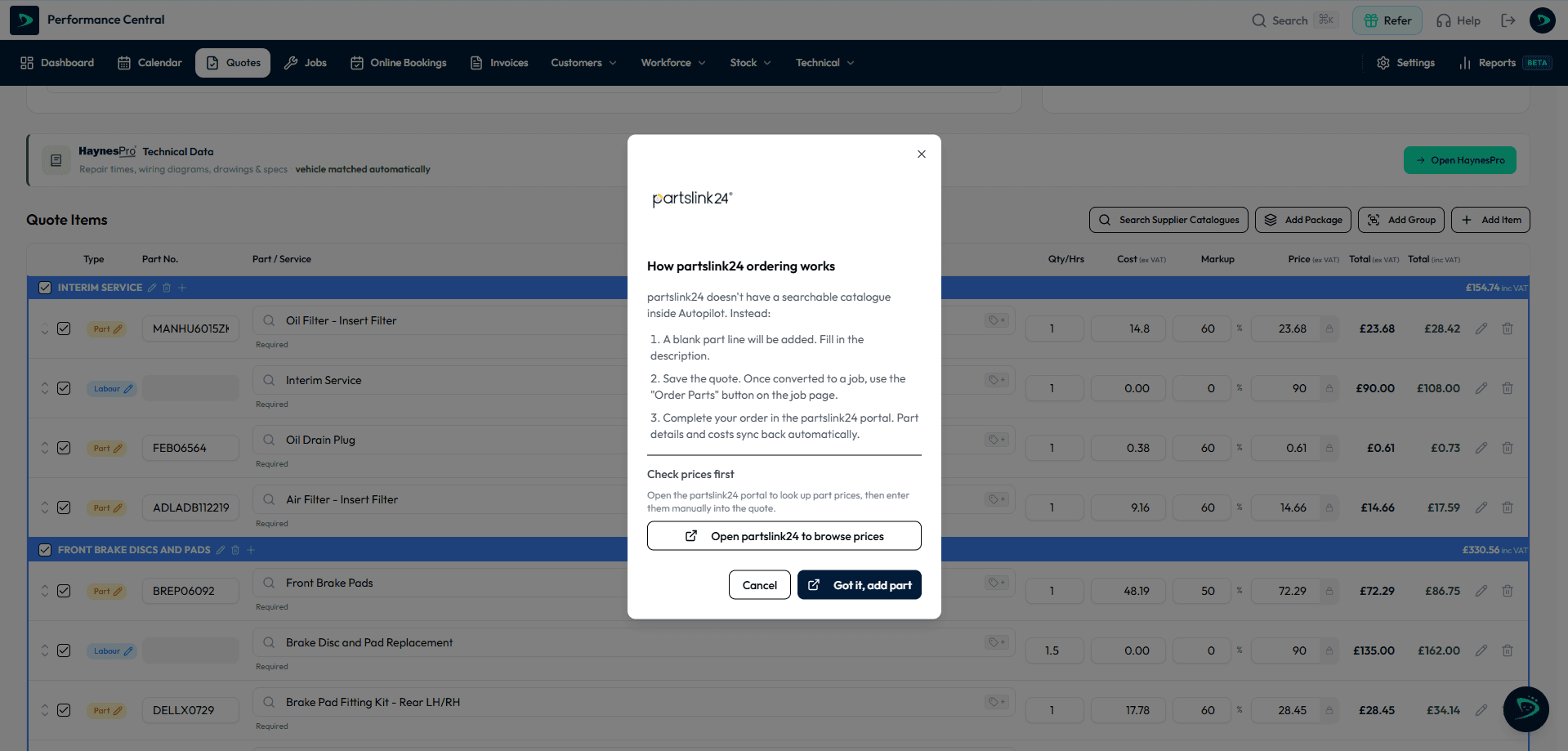
Add a partslink24 part line to the quote and fill in the description. Once the quote is a job, the Order Parts button takes you to the partslink24 portal to complete the order, and the part details and costs sync back to the job on their own.
What is Partslink24?
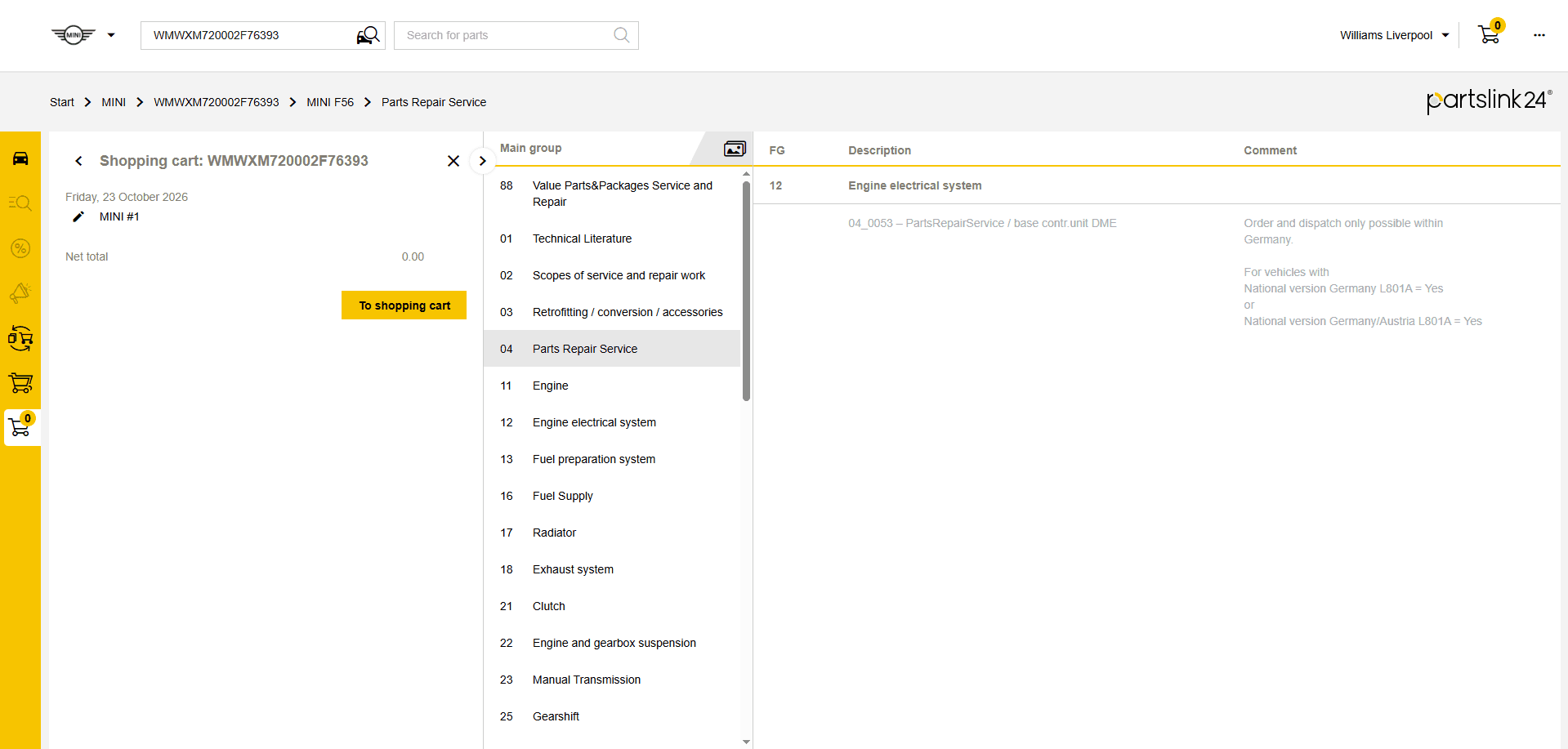
partslink24 is an online platform giving access to the official original equipment (OE) parts catalogues of a long list of vehicle manufacturers, all in one place.
Independent garages use it to identify and order the exact genuine part for a vehicle, often by VIN, with exploded diagrams and manufacturer part numbers.
Visit the Partslink24 websiteThree steps, start to finish
- 1
Add the part to the quote
Add a partslink24 part line and fill in the description. Check the price in the partslink24 portal first if you need it for the quote.
- 2
Order from the job
Once the quote is converted to a job, click Order Parts on the job page.
- 3
Complete the order in partslink24
Place the order in the partslink24 portal. The part details and costs sync back to the job automatically.
No upfront cost
Nothing to pay to get started. Just the monthly price.
No cost per user
Reception, technicians and owners included, however many you add.
30 days on the full plan
Real jobs, real invoices, before you commit to anything.
Data moved in 48 hours
Customers, vehicles and invoice history brought across for you.
Partslink24 and Autopilot: your questions answered
Does Autopilot integrate with partslink24?+
Yes. You order genuine parts through partslink24 from the job in Autopilot, and the part details and costs sync back to the job automatically.
Can I search the partslink24 catalogue inside Autopilot?+
No. partslink24 does not offer a searchable catalogue inside other systems. You add the part line in Autopilot, complete the order in the partslink24 portal, and the details come back to the job.
Do I need a partslink24 account?+
Yes. partslink24 is a subscription service, billed by partslink24. Orders go through your own account.
Why order from OE catalogues instead of a motor factor?+
For dealer-only parts, or when the aftermarket lookup is not sure, the manufacturer catalogue is the definitive answer.

Get your garage on Autopilot
See Partslink24 working with Autopilot on a 20 minute call, or start your 30 day free trial. No contracts, no setup fees, cancel anytime.